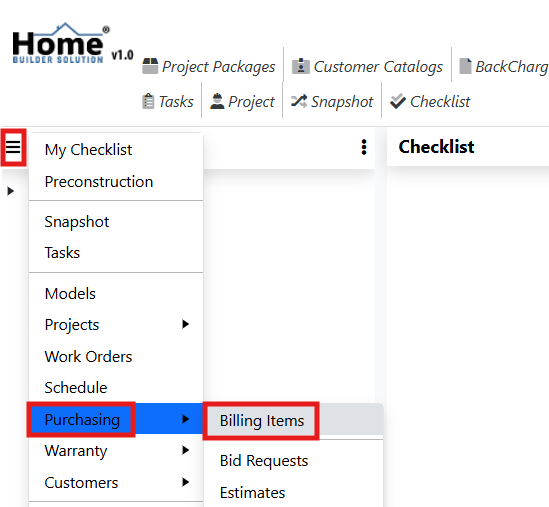
Go to the navigation menu and click on Purchasing. Then select Billing Items.
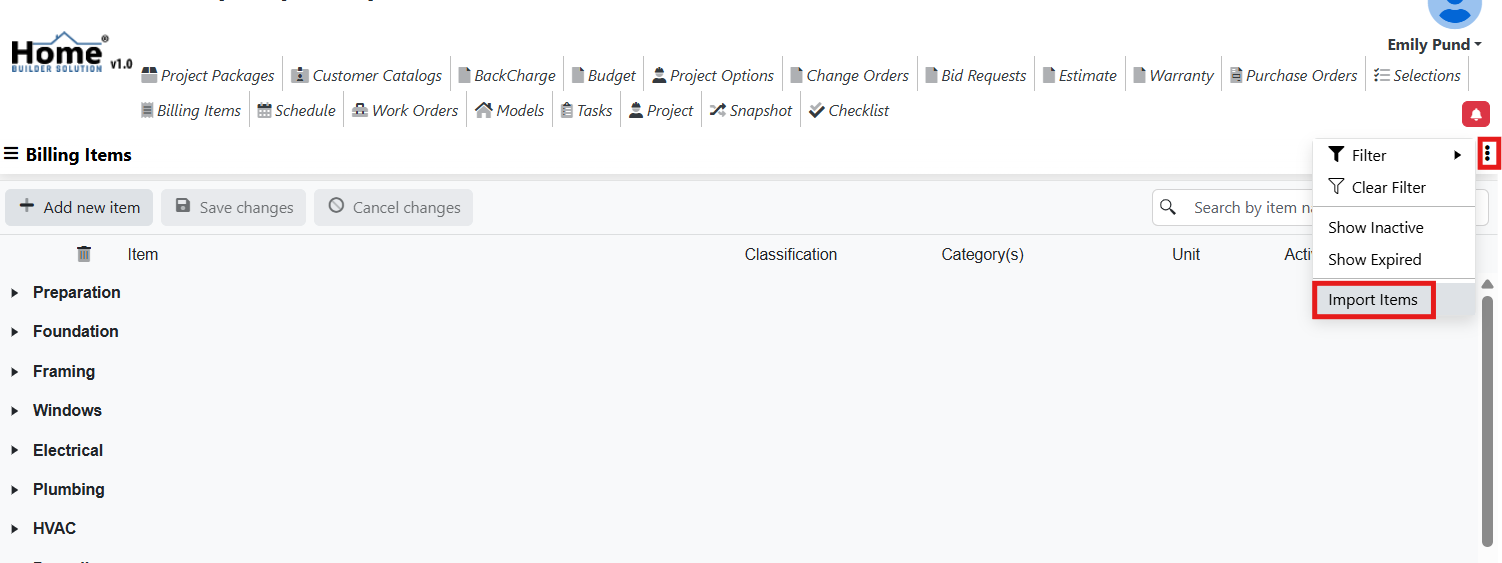
Click on the action menu in the top right hand corner of the screen and then select Import Items.
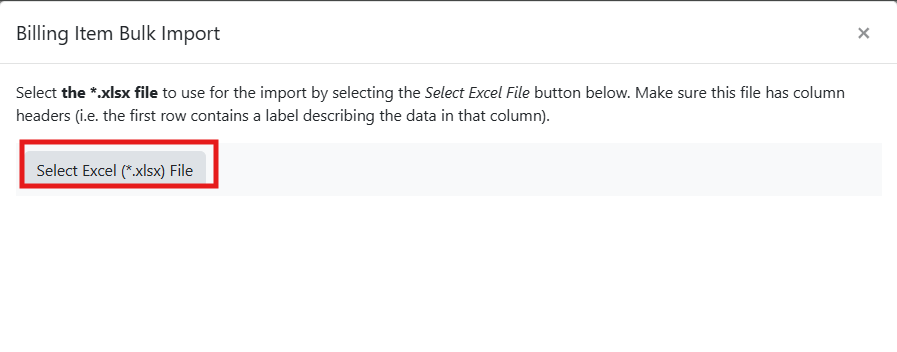
Click on the Select Excel (*.xlsx) File button to select your file for import.
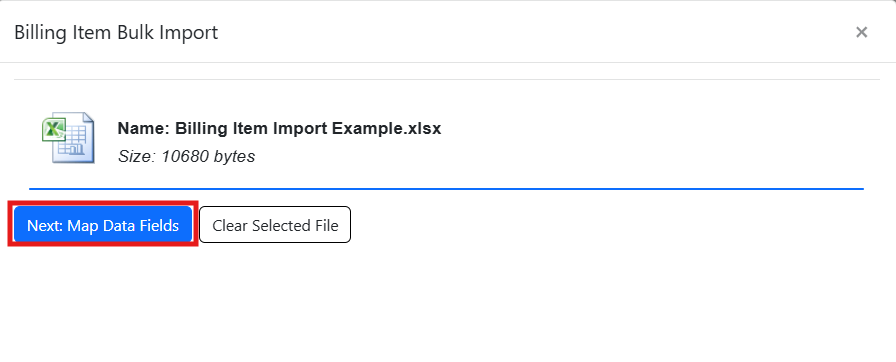
Click on the Next: Map Data Fields button.
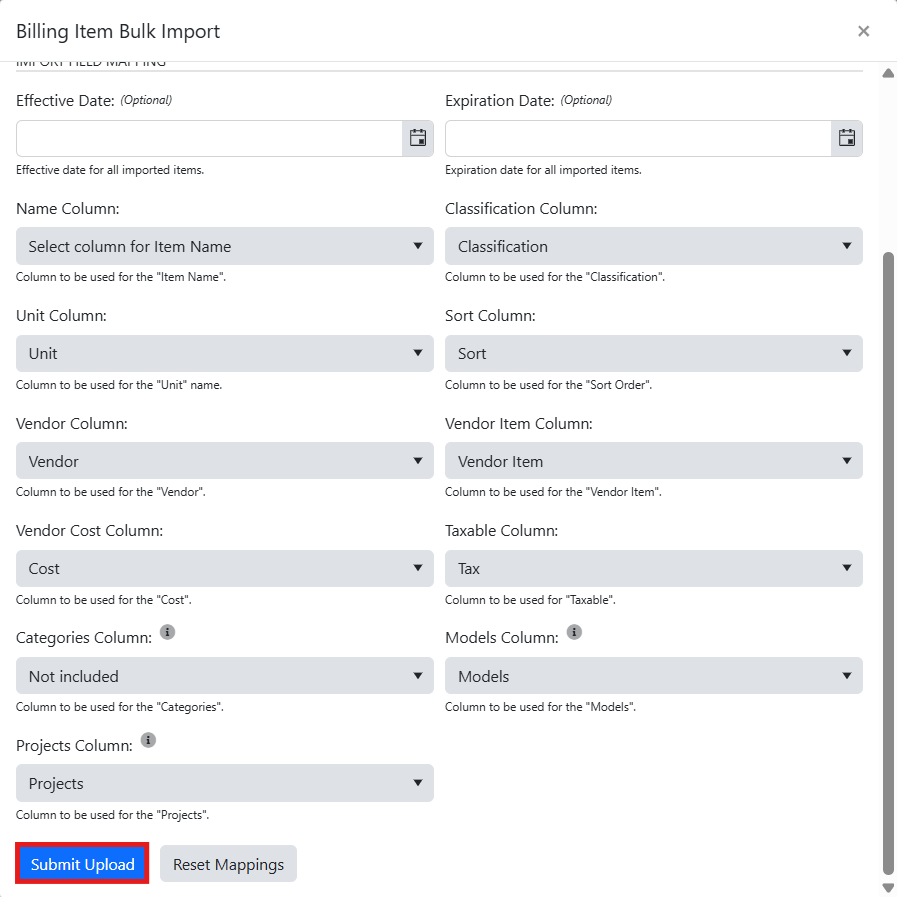
Map each of the data fields and enter an effective and expiration date if needed.
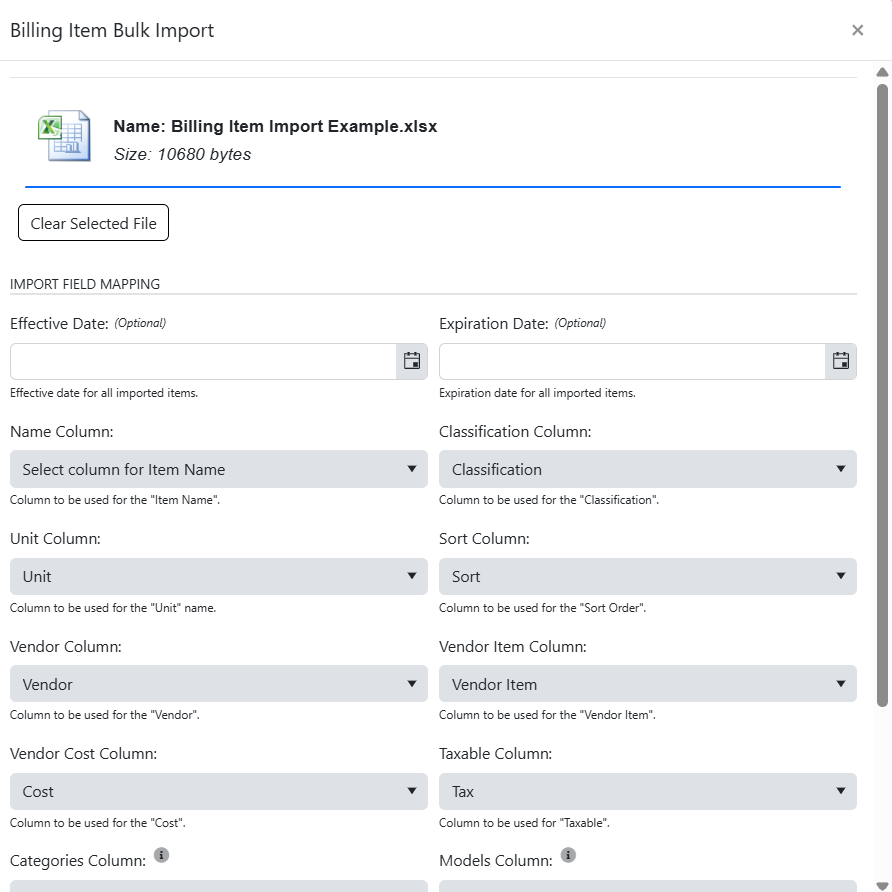
Once complete, click on Submit Upload.
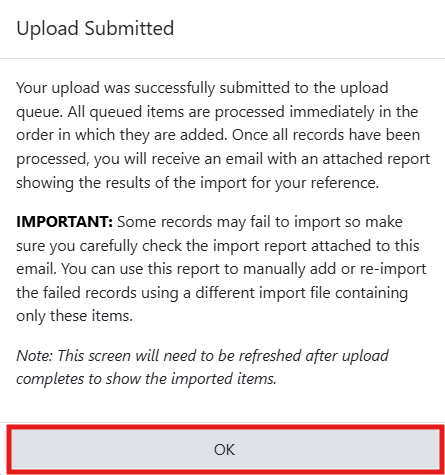
Click Ok. Upon submission, your items will be queued and processed in the order they were uploaded. Once complete, you will receive an email notification with a file that shows the results of your upload.
Was this article helpful?
That’s Great!
Thank you for your feedback
Sorry! We couldn't be helpful
Thank you for your feedback
Feedback sent
We appreciate your effort and will try to fix the article