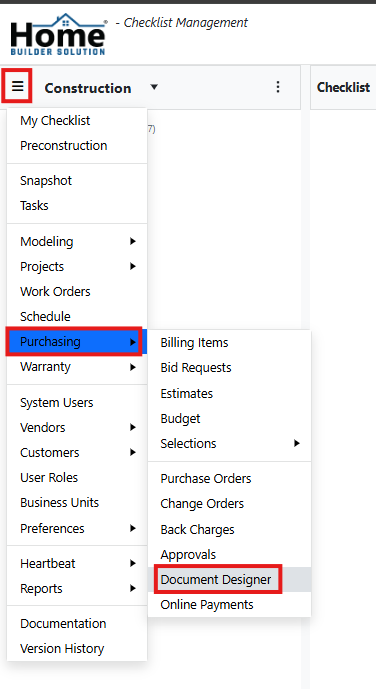
Go to the navigation menu and select Purchasing. Then select Document Designer.
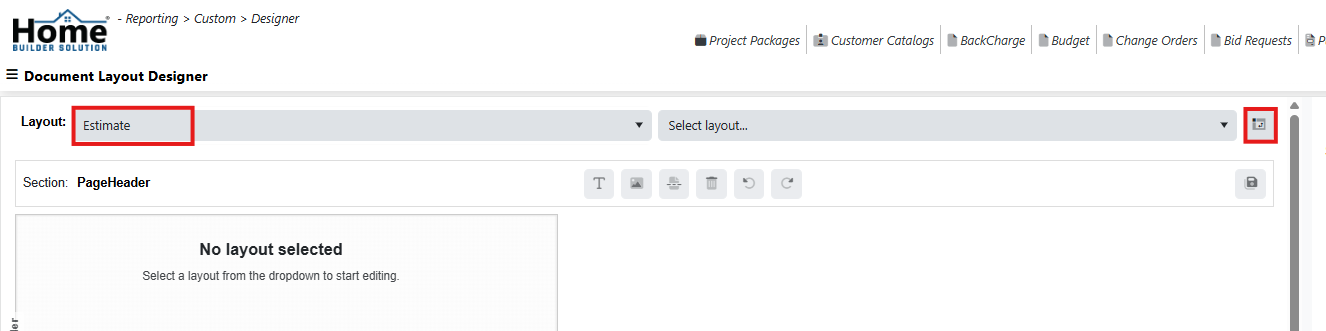
Select the document type and then click on the Layout icon.
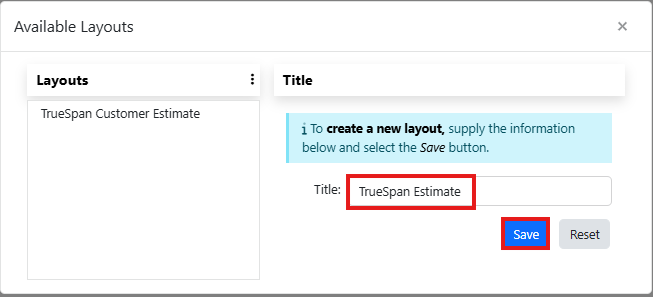
Enter a title and then click on Save.
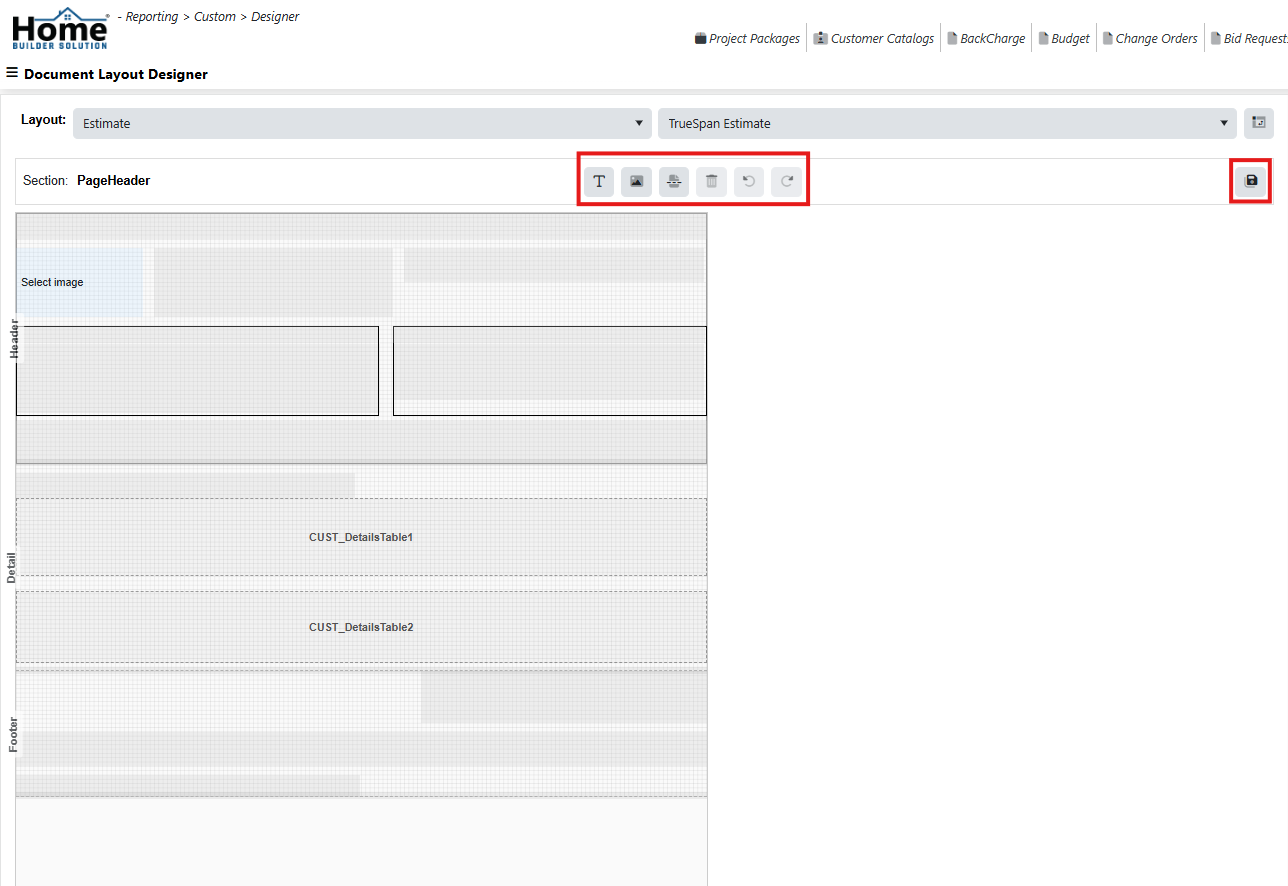
Make any needed changes to the layout using the editing tools on the designer. Then click on Save.
Was this article helpful?
That’s Great!
Thank you for your feedback
Sorry! We couldn't be helpful
Thank you for your feedback
Feedback sent
We appreciate your effort and will try to fix the article