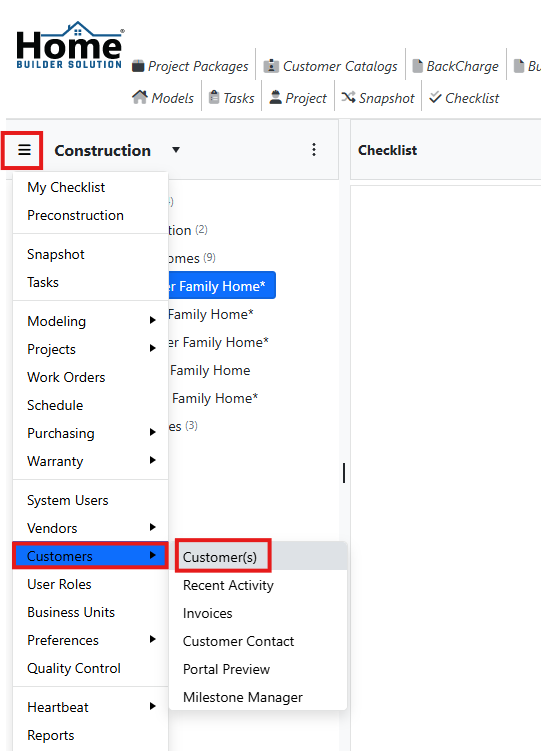
Go to the main navigation and select Customers and then Customers.
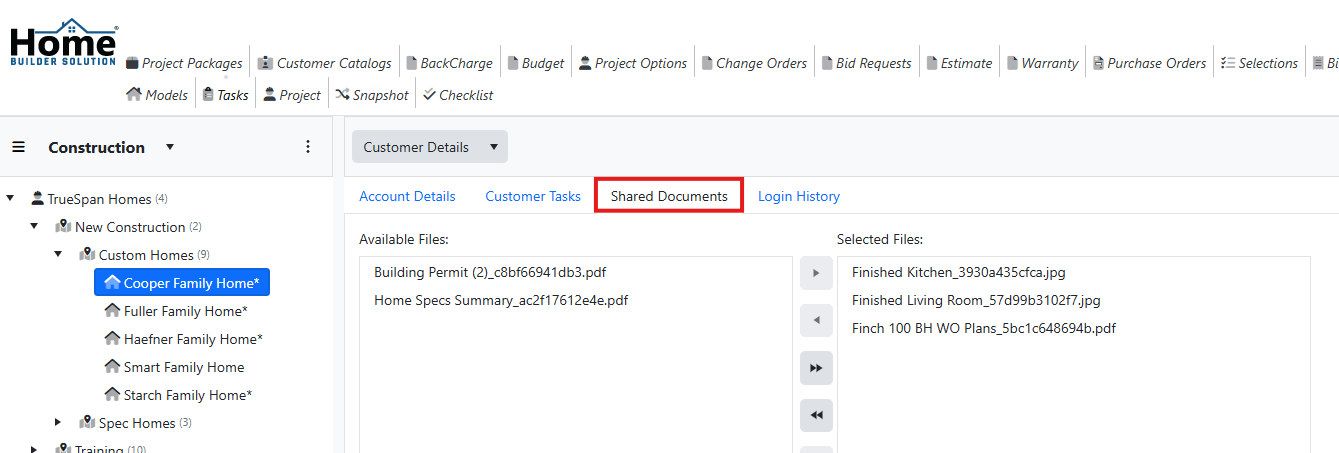
Click on the Shared Documents tab.
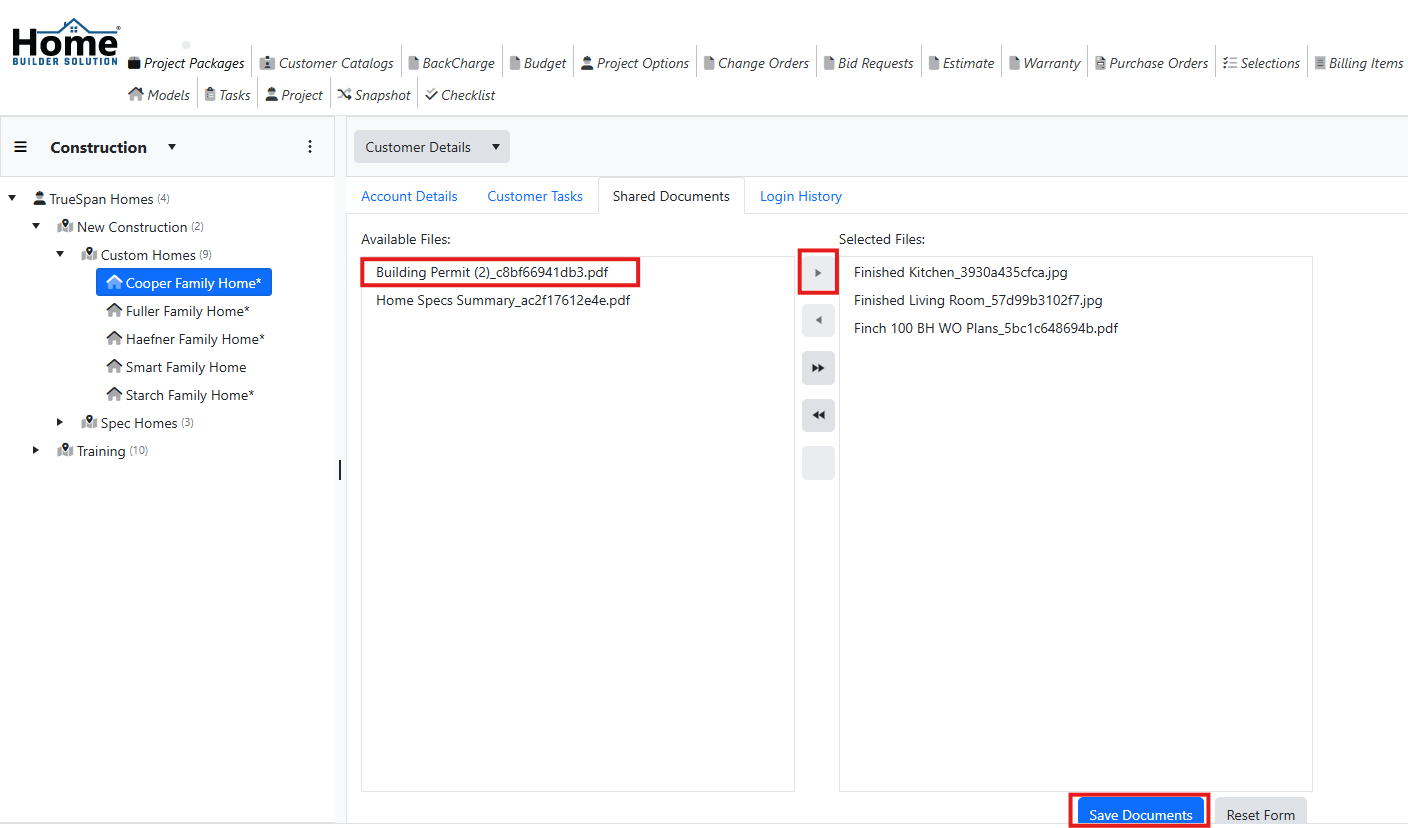
Select the file you want to share from the Available Files section and then click on the arrow to move it to the Selected Files section. Then click on Save Documents.
Was this article helpful?
That’s Great!
Thank you for your feedback
Sorry! We couldn't be helpful
Thank you for your feedback
Feedback sent
We appreciate your effort and will try to fix the article