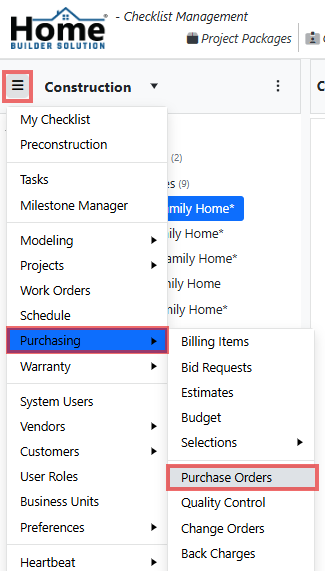
Go to the navigation menu and select Purchasing then Purchase Orders.
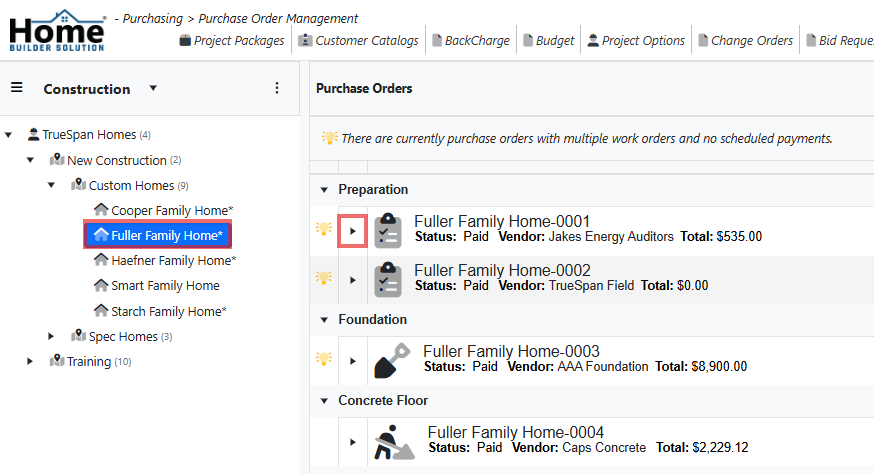
Select the project and then expand the purchase order.
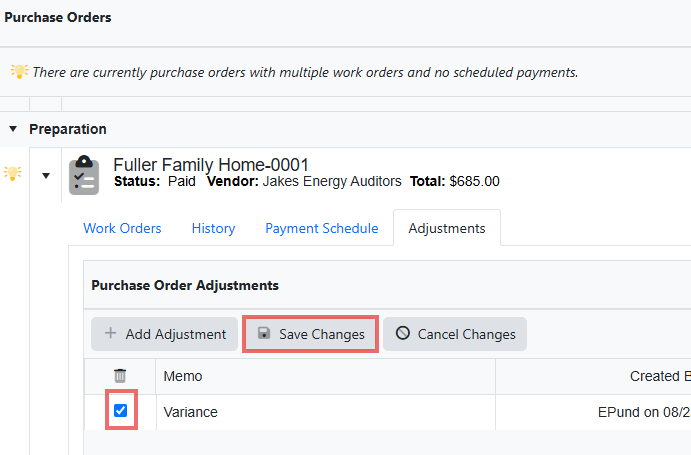
Click on the Adjustments tab and then click the checkbox next to the adjustment you would like to delete. Then click on Save Changes.
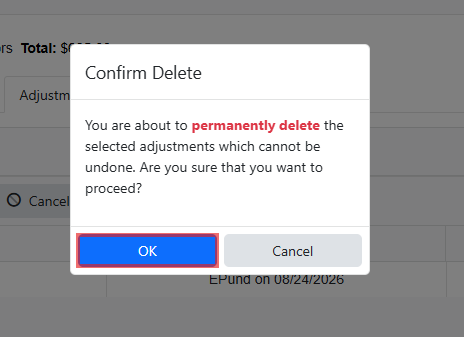
Click Ok to confirm the delete.
Was this article helpful?
That’s Great!
Thank you for your feedback
Sorry! We couldn't be helpful
Thank you for your feedback
Feedback sent
We appreciate your effort and will try to fix the article