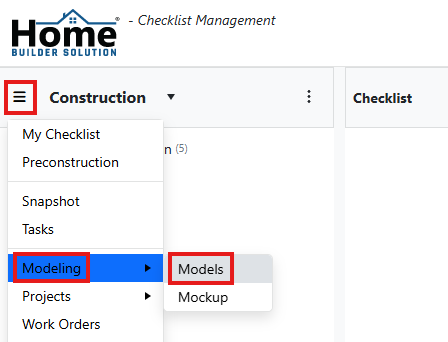
Go to the navigation menu. Click on Modeling and then Models.
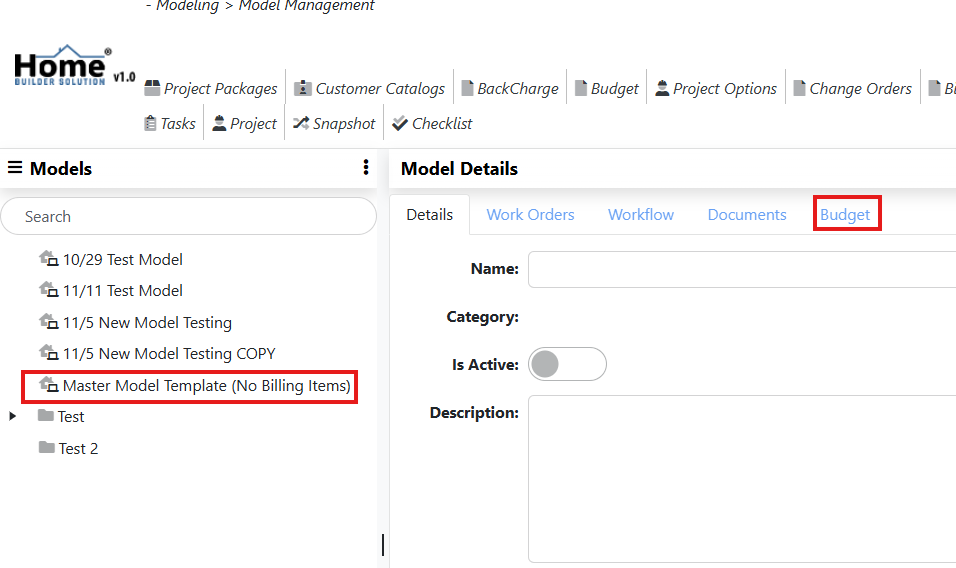
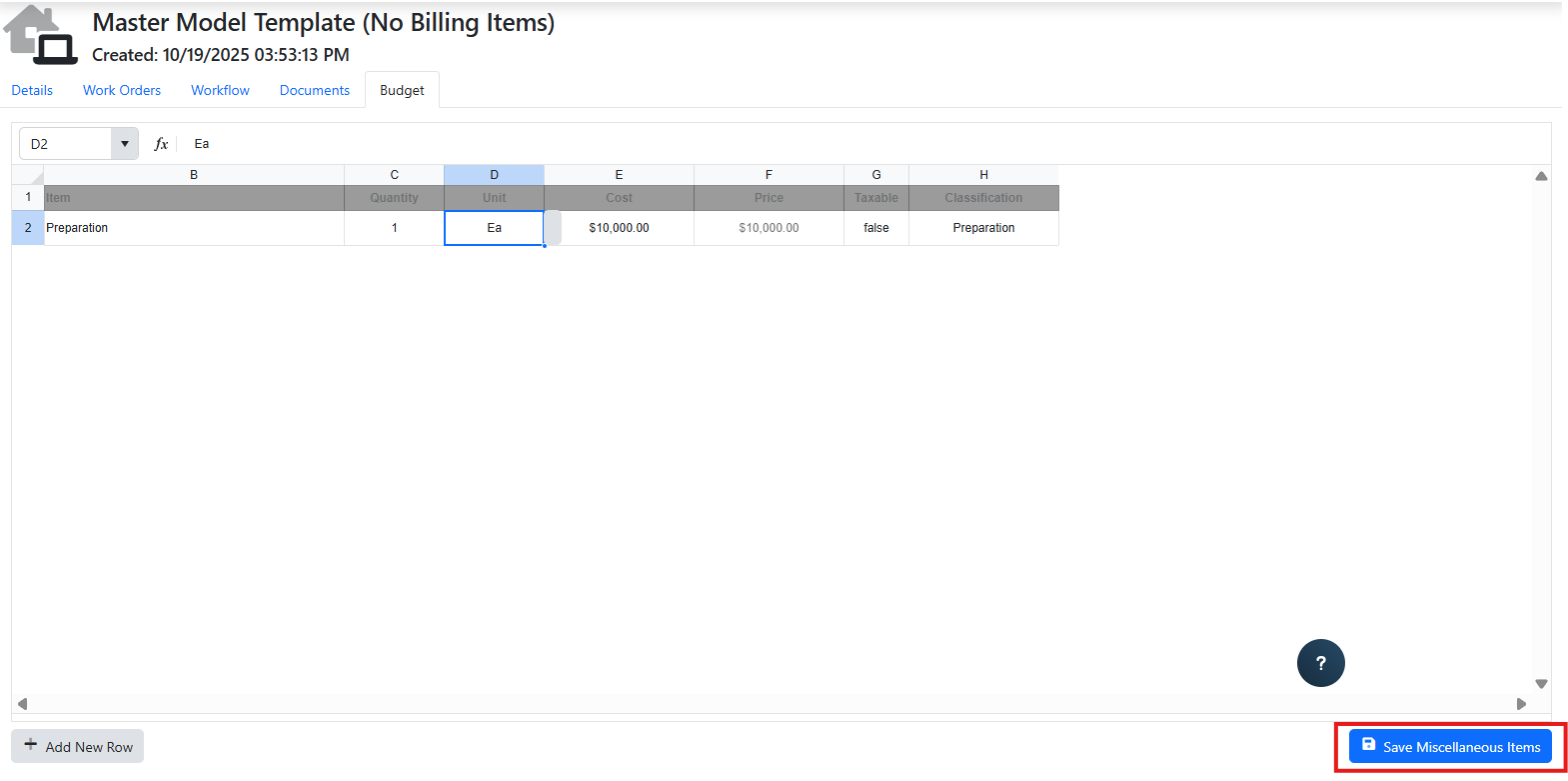
Select the model you want to work with from the content panel. Then select the Budget tab.
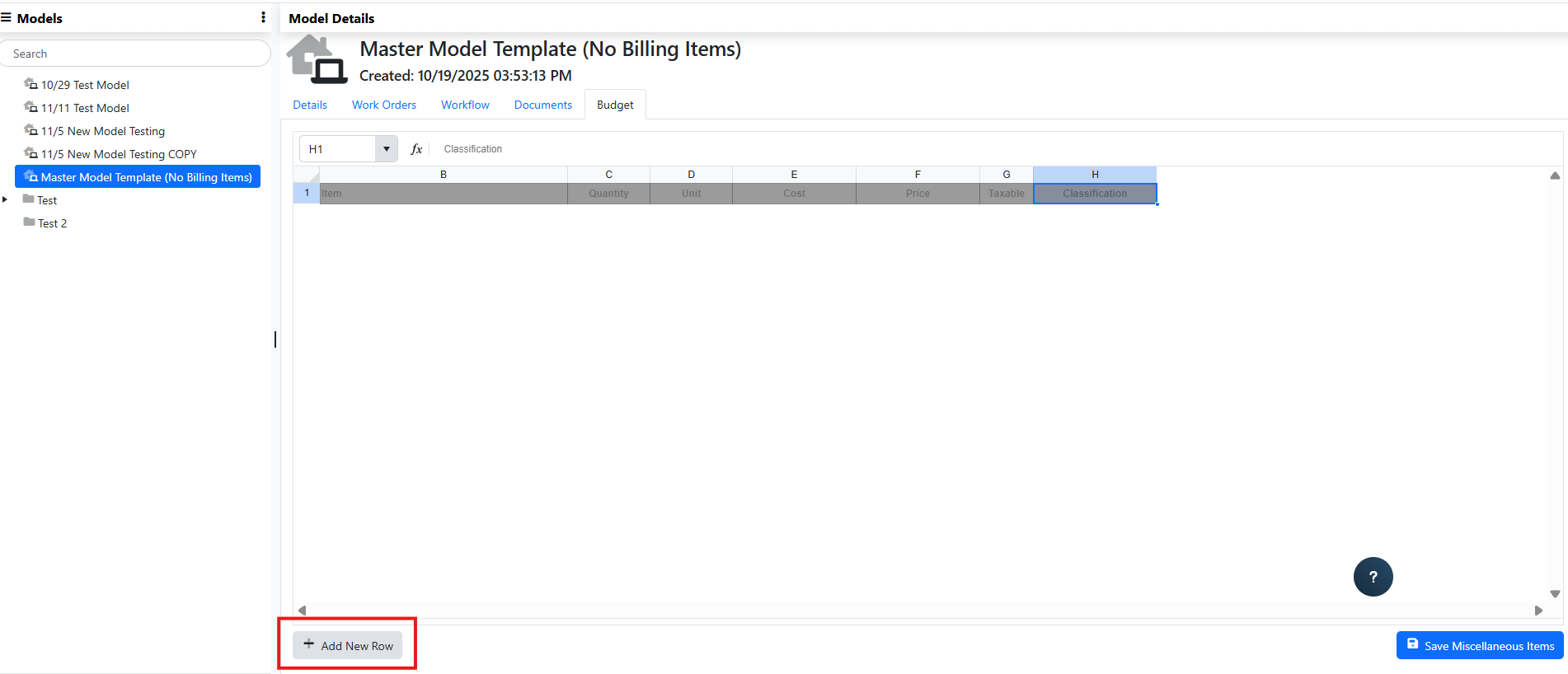
Click on Add New Row button at the bottom of the screen.
Enter the details on the row on the grid. To add additional rows, click on Add New Row again.
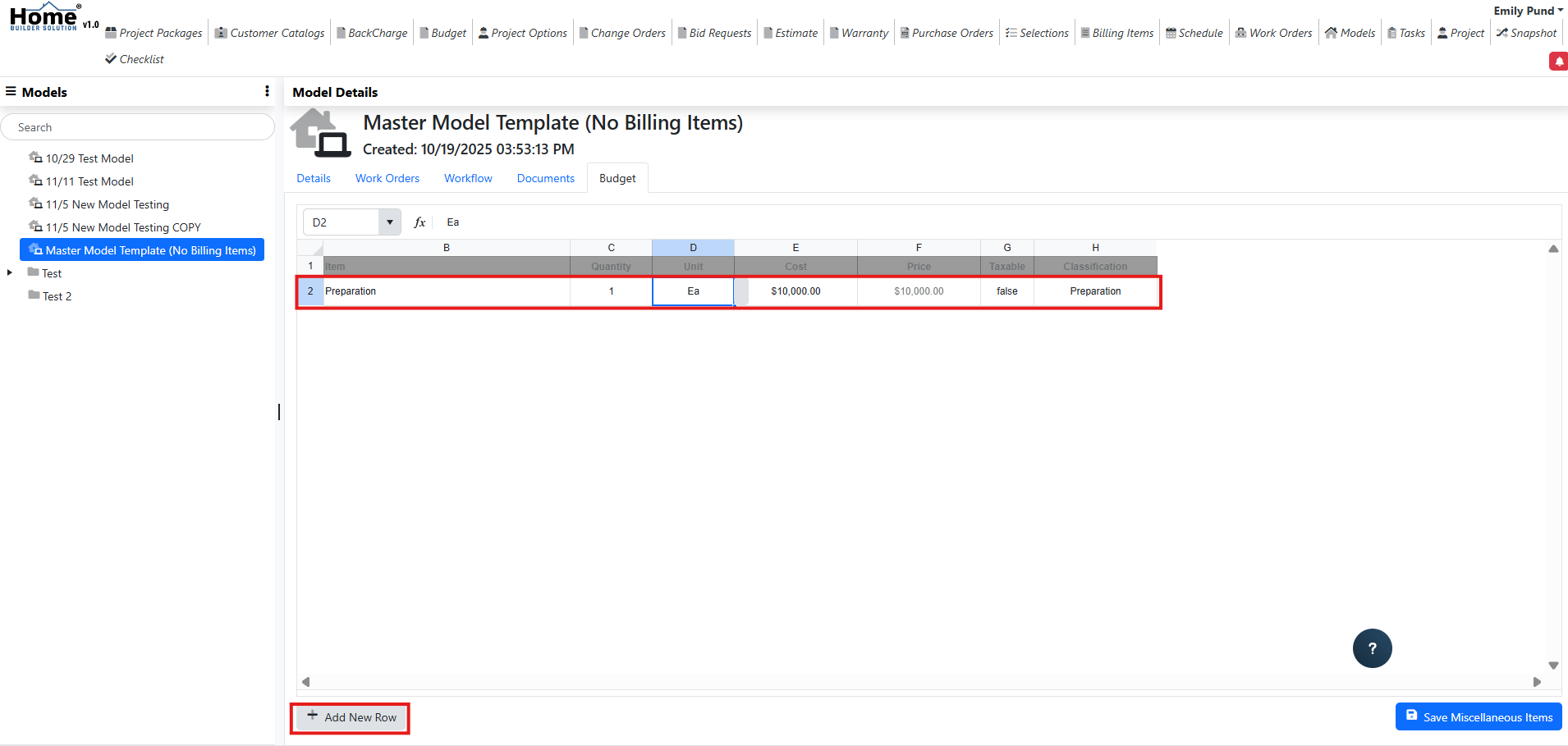
When you are ready to save, click on the Save Miscellaneous Items button at the bottom of the screen.
Was this article helpful?
That’s Great!
Thank you for your feedback
Sorry! We couldn't be helpful
Thank you for your feedback
Feedback sent
We appreciate your effort and will try to fix the article