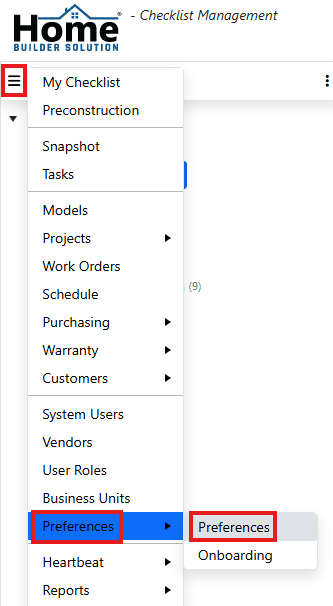
Go to the navigation menu and click on Preferences and then Preferences.
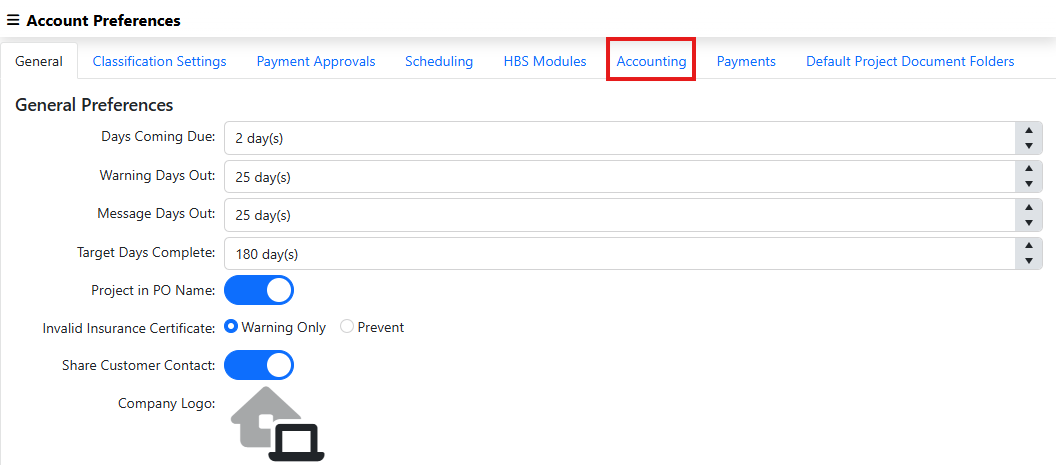
Click on the Accounting tab.
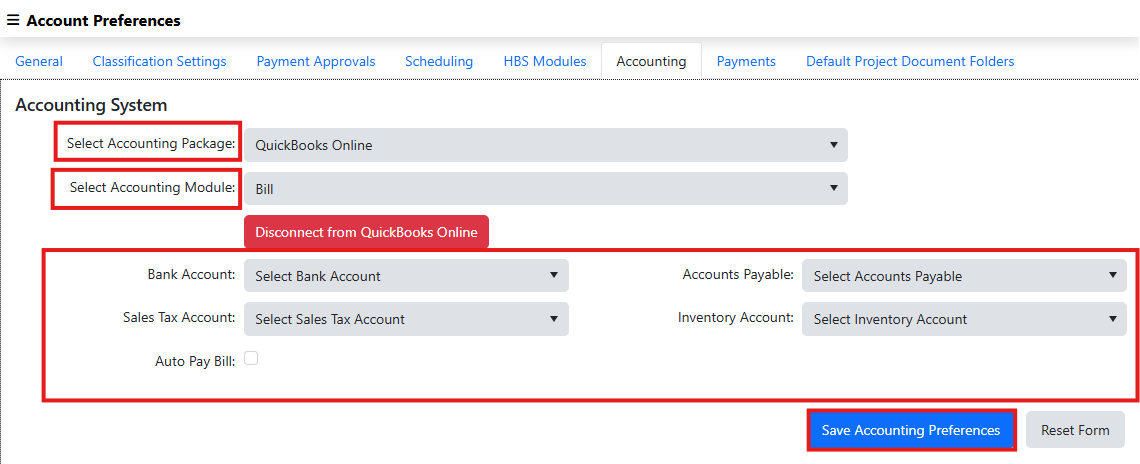
Select your accounting package and module and then connect to the accounting package. Once connected, enter the account information and set whether or not you want Auto Pay Bill enabled. Finally, click on Save Accounting Preferences.
Was this article helpful?
That’s Great!
Thank you for your feedback
Sorry! We couldn't be helpful
Thank you for your feedback
Feedback sent
We appreciate your effort and will try to fix the article